
This article will teach you how to upload the latest inventory to the DMRS system.
This article is only applicable to the SDM department
TABLE OF CONTENTS
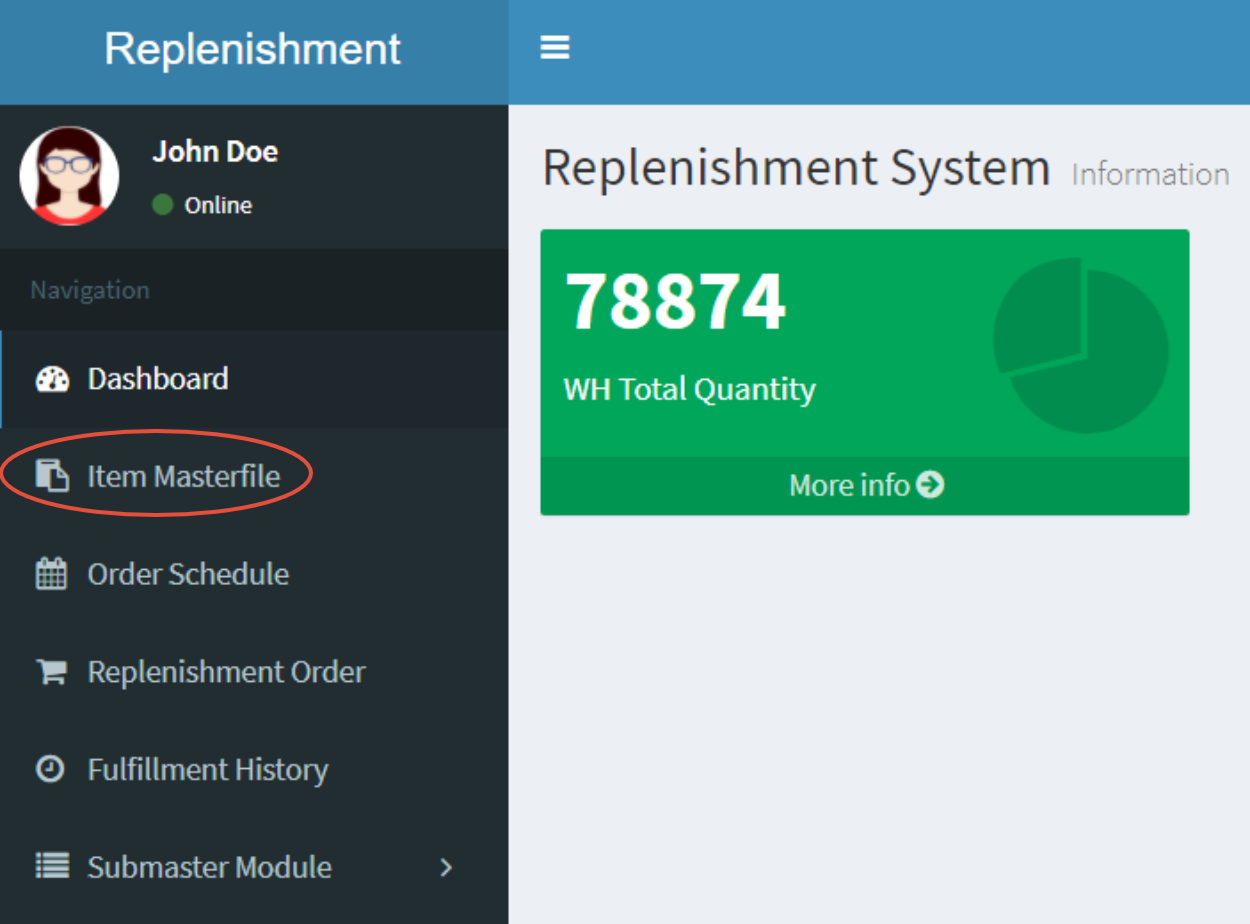
- Step 1: Click on Item Masterfile
- Step 2: Click on Upload Inventory
- Step 3: Click on Download Template
- Step 4: Upload Your File
- Step 5: Click on Upload
Step 1: Click on Item Masterfile
Step 2: Click on Upload Inventory
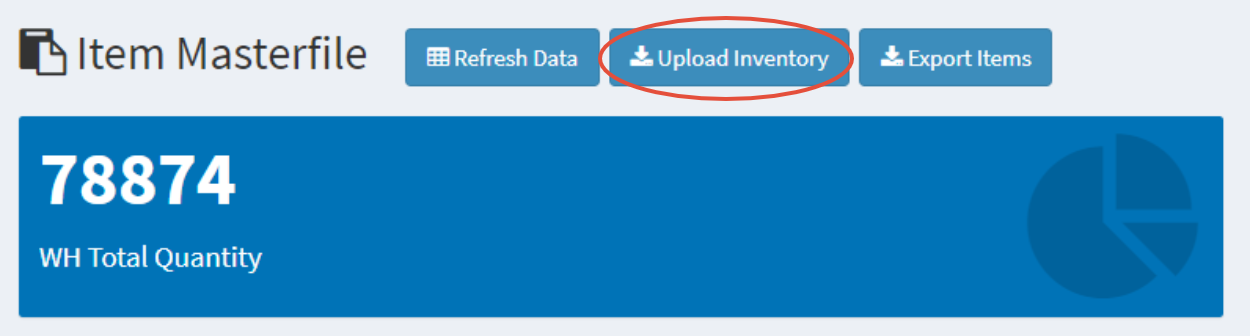
Please ensure that there are no more open SO/MO transactions in BEA before uploading inventory
Uploading your file will replace all inventory currently in the DMRS system
If there is an Active Order Schedule, the system will prevent inventory uploads
Step 3: Click on Download Template

Please make sure to follow the format shown on the template
Step 4: Upload Your File
Click on Choose File and select the file to be uploaded

