
This article will teach you how to set the order schedule in DMRS.
This article is only applicable to the SDM department
Without an order schedule, employees will not be able to create or approve orders
TABLE OF CONTENTS
- Step 1: Click on Order Schedule
- Step 2: Click on Add Data
- Step 3: Input the Schedule Details
- Step 4: Select Allowed Stores
- Step 5: Click Create
Step 1: Click on Order Schedule
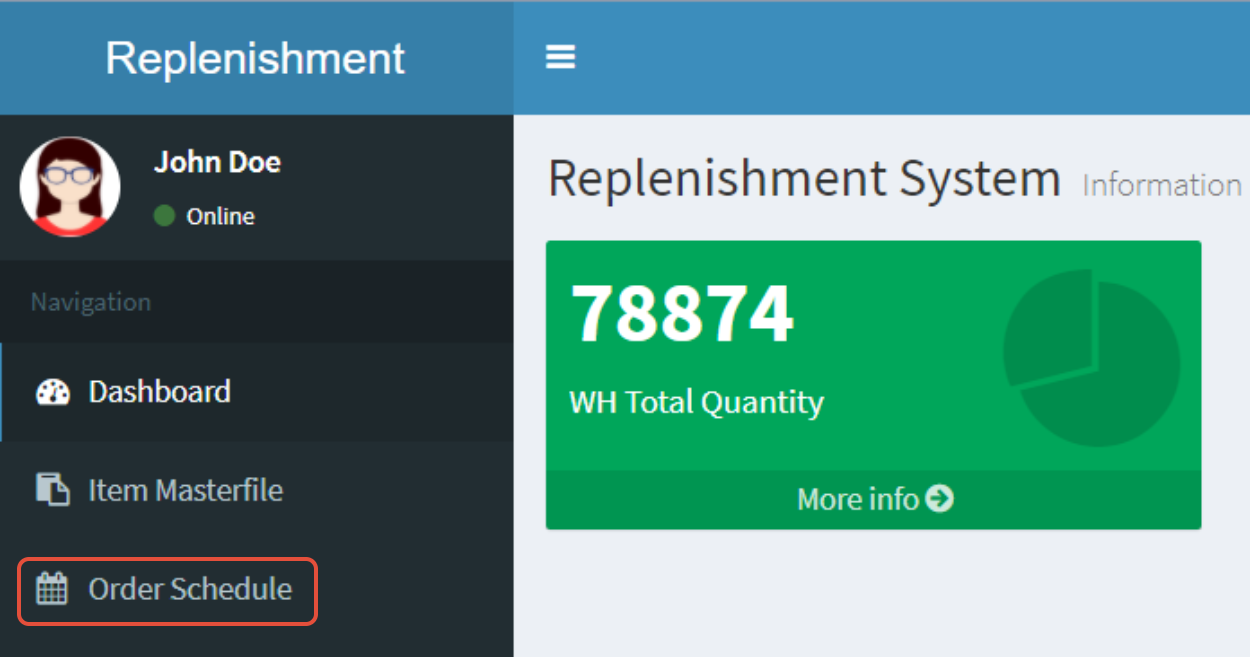
Step 2: Click on Add Data

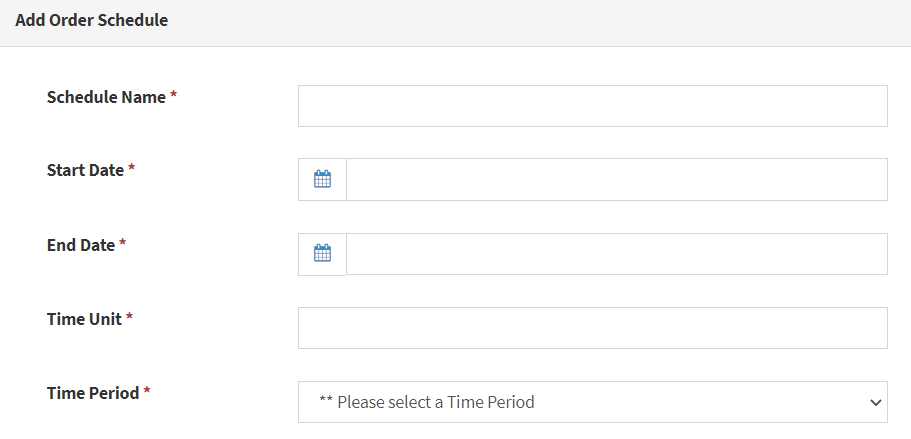
Step 3: Input the Schedule Details
- Schedule Name
Use the format "yyyymmdd [Type of Replenishment]"
Eg. 20200823 Weekly Replenishment - Start and End Date: Duration of the ordering period (Date)
- Time Unit and Period: Duration of the ordering period (Time)
Step 4: Select Allowed Stores
Please click all stores that apply
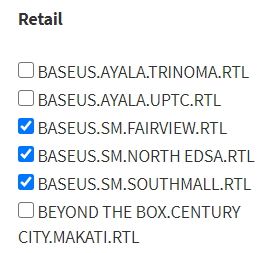
Only the stores that have checkmarks will be able to create or approve orders
