
This article will show you how to create Store to Warehouse transactions.
This article is for store personnel and store heads only.
The Store to Warehouse transaction will only be used for store-owned items.
TABLE OF CONTENTS
- Step 1: Click on STW and STR
- Step 2: Click on Create STW
- Step 3: Select From and To Locations
- Step 4: Select Reason
- Step 5: Input Memo (Optional)
- Step 6: Scan Item
- Step 7: Enter Additional Items (Optional)
- Step 8: Click on Create Button
- Step 9: Click on Print Button
- Step 10: Turnover items to Logistics
Step 1: Click on STW and STR
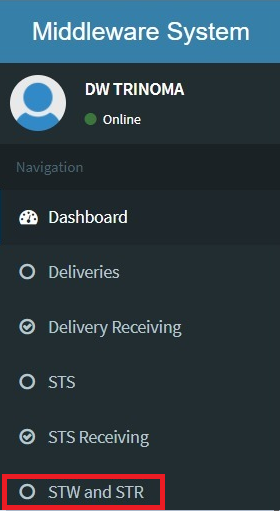
Step 2: Click on Create STW

Step 3: Select From and To Locations

Step 4: Select Reason

Step 5: Input Memo (Optional)

Step 6: Scan Item

If the item is serialized, a pop-up window will appear. Scan the serial code here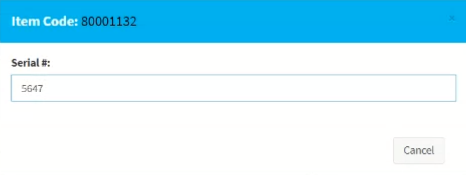
Step 7: Enter Additional Items (Optional)
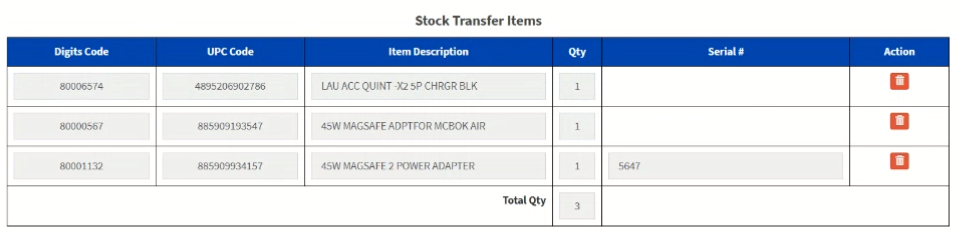
Step 8: Click on Create Button

A success message will appear if there are no problems with your inventory.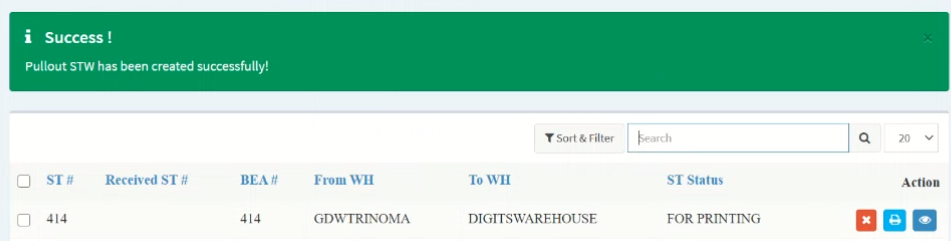
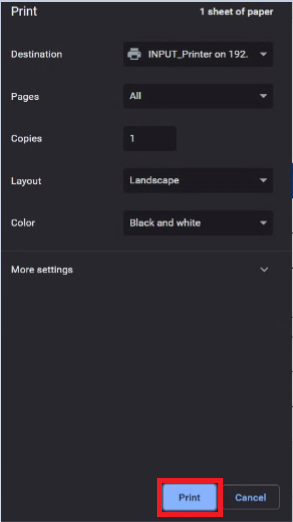
Step 9: Click on Print Button

Step 10: Turnover items to Logistics
No Stock Transfer Form, No Pull-out.