
This article will teach you how to login to the BEACH system.
TABLE OF CONTENTS
- Step 1: Enter the BEACH website
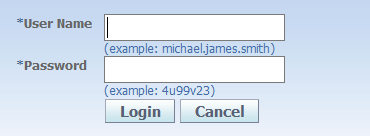
- Step 2: Input your Username and Password
- Step 3: Click on Login
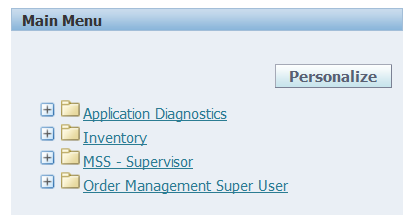
- Step 4: Select any Action from the Menu
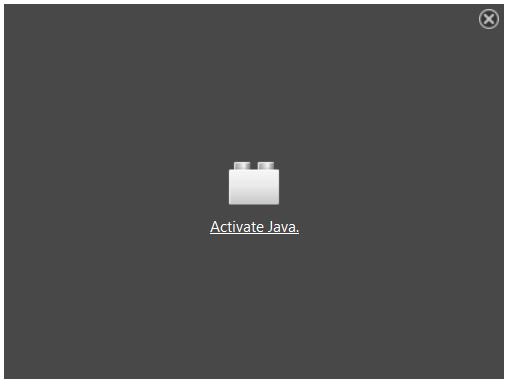
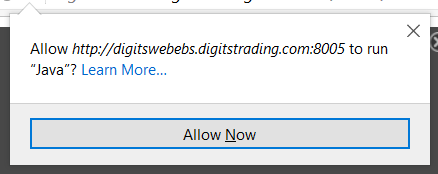
- Step 5: Click on Activate Java and Allow Now
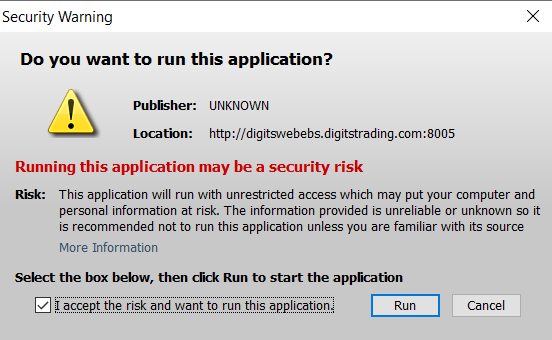
- Step 6: Accept and Run the Application
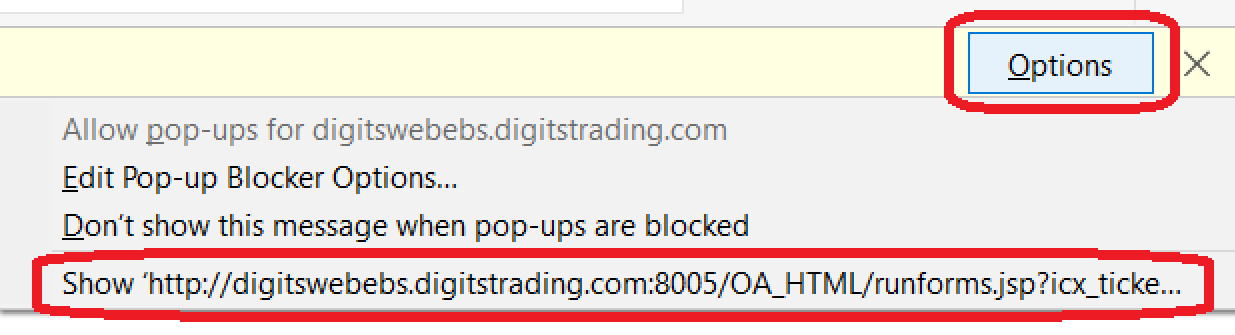
- Step 7: Click on Options and Show Website
Step 1: Enter the BEACH website
Click on the website link: http://digitswebebs.digitstrading.com:8005
The BEACH is only ACCESSIBLE through Mozilla Firefox.

Please contact the ISD department on how to configure the settings of your computer.
Step 2: Input your Username and Password
Step 3: Click on Login

Step 4: Select any Action from the Menu
Step 5: Click on Activate Java and Allow Now
Step 6: Accept and Run the Application
Step 7: Click on Options and Show Website
Do not share your username and password with other people