This article will show you how to receive a trip ticket to receive delivered from the Logistics department.
This article is for the Retail Operations department only.
All store deliveries must be received in the Middleware system.
TABLE OF CONTENTS
- Step 1: Click on Trip Ticket
- Step 2: Click on Receive Trip Ticket
- Step 3: Select Your Store
- Step 4: Scan Trip Ticket Barcode
- Step 5: Indicate Receiver and Releaser
- Step 6: Check Transaction
- Step 7: Click on Receive Button
Step 1: Click on Trip Ticket
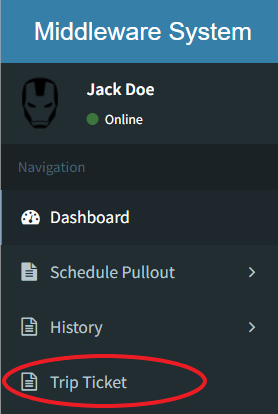
Step 2: Click on Receive Trip Ticket

Step 3: Select Your Store

Step 4: Scan Trip Ticket Barcode

Scan the barcode located on the physical Trip Ticket carried by the Logistics DepartmentStep 5: Indicate Receiver and Releaser

Step 6: Check Transactions
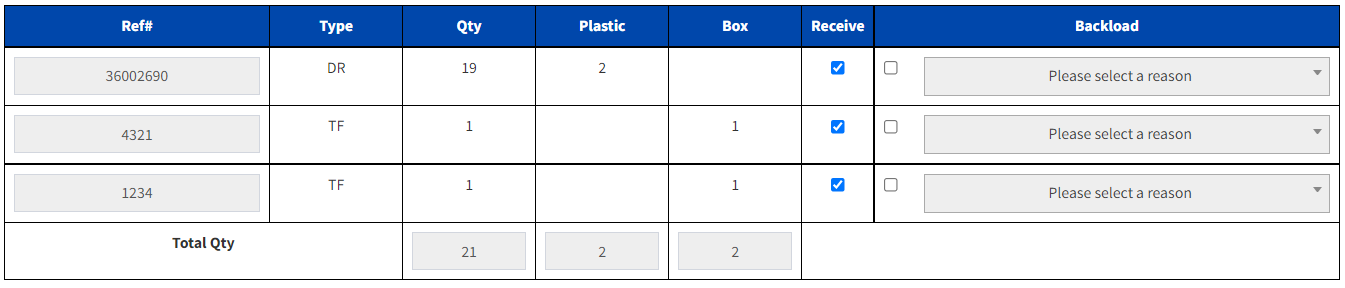
Uncheck transactions that will be backloaded. Only use this if there are discrepancies