
This article will teach you how to request for the purchasing team to source new items not found in the DAM.
This article is applicable to all Digits Employees that need new Assets, Supplies, Services, or Marketing Materials that are not found in DAM.
TABLE OF CONTENTS
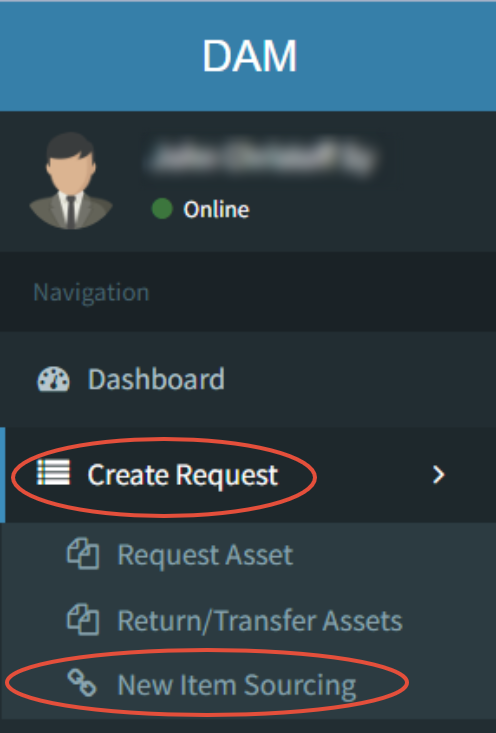
- Step 1: Click on Create Request - New Item Sourcing
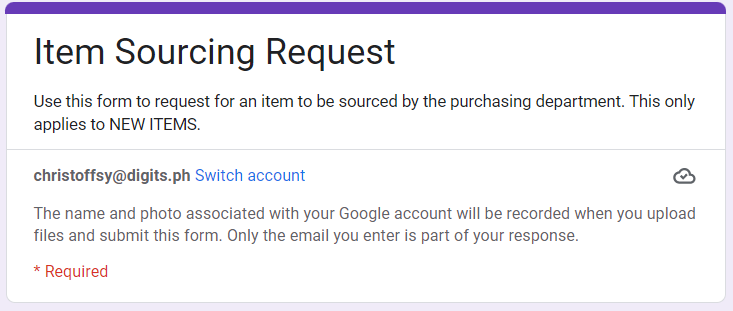
- Step 2: Fill-up the Google Form
- Step 3: Coordinate via Email / Chat
- Step 4: Finalize on a Quotation
- Step 5: Item Creation
- Step 6: Create an ARF
Step 1: Click on Create Request - New Item Sourcing
Step 2: Fill-up the Google Form
Step 3: Coordinate via Email / Chat
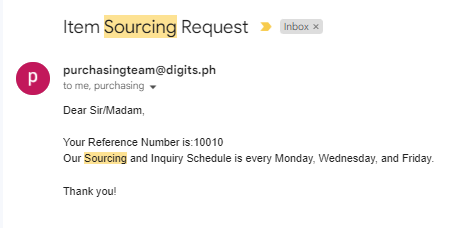
The Purchasing team will dedicate Mondays, Wednesdays, and Fridays to sourcing quotations for your items. Please keep your communication channels open during this time.
Step 4: Finalize on a Quotation
The Purchasing team will provide at least 3 quotations / choices that you can choose from. As the requestor, you must decide which supplier and item will be chosen.
Step 5: Item Creation
The Purchasing team will perform a new item creation and provide the Digits Code and Item description of the new item to the requestor.
Step 6: Create an ARF
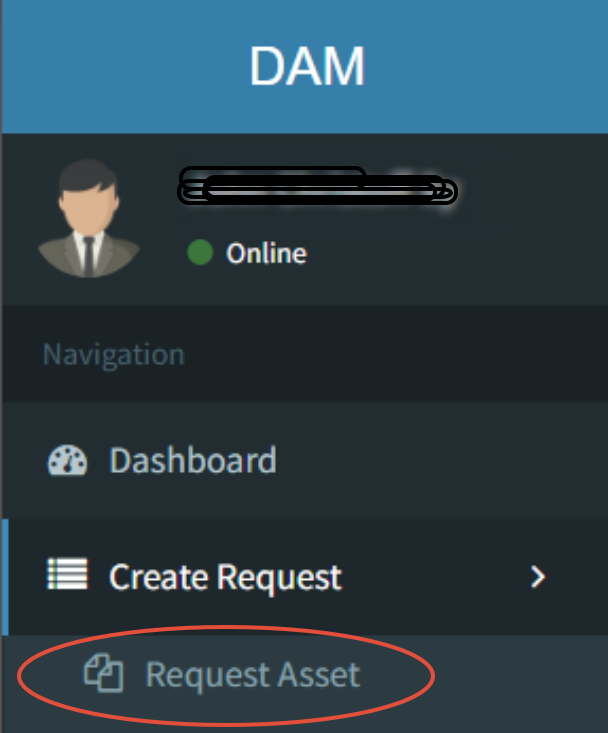
Use the new Digits Code provided by the Purchasing team in your ARF for smoother transactions.