
This article will teach you how to create an R&D menu item. R&D menu items are not yet final until published.
This article is applicable to all marketing staff
TABLE OF CONTENTS
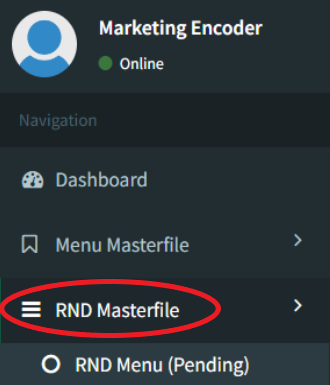
- Step 1: Click on RND Masterfile
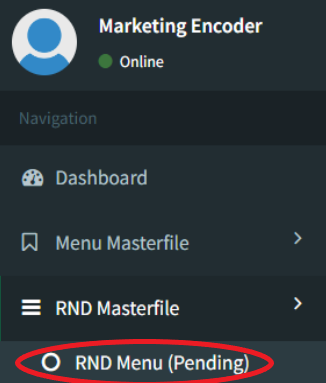
- Step 2: Click on RND Menu (Pending)
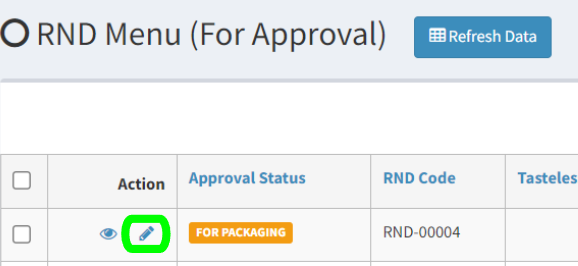
- Step 3: Click on Edit
- Step 4: Input Packaging
- Step 5: Input Packaging Details
- Step 6: Click Save
- Step 7: Input Menu Details
- Step 8: Click on Save
- Step 9: Input Final SRP
- Step 10: Click on Save
Step 1: Click on RND Masterfile
Step 2: Click on RND Menu (Pending)
Step 3: Click on Edit
Step 4: Input Packaging

Click on Add Existing Packaging when using existing ones.
Click on Add New Packaging when using new ones. Please refer to the Add New Packaging Page for information on how to add New Ingredients.
Step 5: Input Packaging Details

Preparation Qty = Quantity of Ingredient
Ingredient UOM = Unit of Measure
TTP = Tasteless Price
Step 6: Click Save
Clicking this will redirect you to the Menu Details Input Screen.
Step 7: Input Menu Details
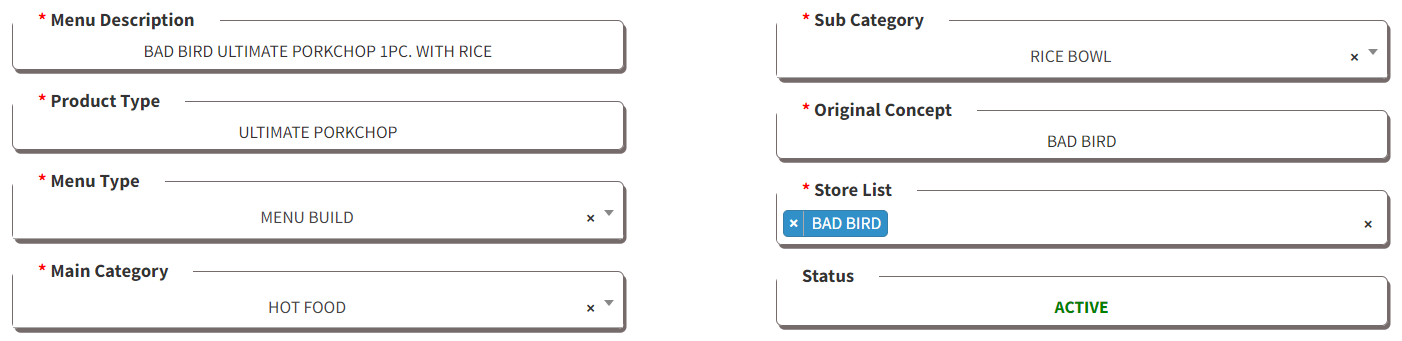
Please refer to the Menu Creation Policy for the terms and definition of the fields.
Step 8: Click on Save
Clicking this will redirect you to the Costing Screen
Step 9: Input Final SRP

Changing the Dine In SRP will adjust the cost percentages. You may use this calculator to find your ideal SRP.