Logo

Welcome
Login  Sign up
Home Solutions
New support ticket
Check ticket status
Solution home Tasteless Systems TIMFS - Item Masterfile System

How to Approve Menu Items (For Marketing) Print

Created by: Christoff Sy

Modified on: Tue, 27 Jun, 2023 at 1:56 PM


This article will teach you how to approve menu item details and costing.

This article is applicable to the marketing head


TABLE OF CONTENTS

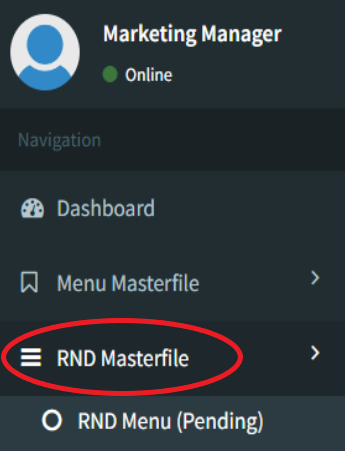
  • Step 1: Click on RND Masterfile
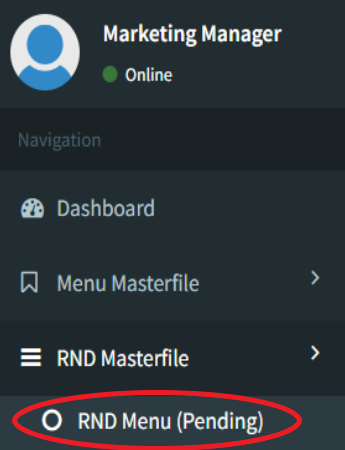
  • Step 2: Click on RND Menu (Pending)
  • Step 3: Click on Edit
  • Step 4: Finalize SRP
  • Step 5: Click on Approve

Step 1: Click on RND Masterfile


Step 2: Click on RND Menu (Pending)


Step 3: Click on Edit


Step 4: Finalize SRP


Step 5: Click on Approve


C
Christoff is the author of this solution article.

Did you find it helpful? Yes No

Send feedback
Sorry we couldn't be helpful. Help us improve this article with your feedback.

Related Articles

    Home Solutions Cookie policy
    Help Desk Software by Freshdesk
    Article views count