
This article will teach you how to create new ingredients. These new ingredients will be seen by the Purchasing team.
This article is applicable to the Chefs.
TABLE OF CONTENTS
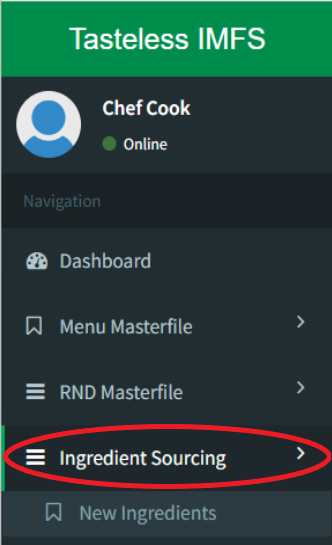
- Step 1: Click on Ingredient Sourcing
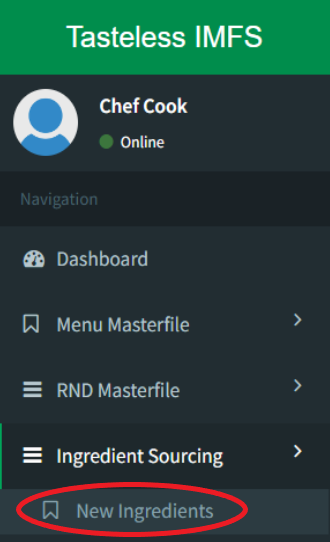
- Step 2: Click on New Ingredients
- Step 3: Click on Add Data
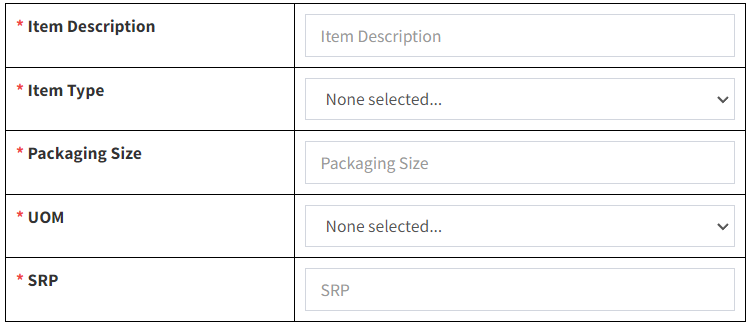
- Step 4: Input New Ingredient Details
- Step 5: Create TIMFS Code
Step 1: Click on Ingredient Sourcing
Step 2: Click on New Ingredients
Step 3: Click on Add Data

Step 4: Input New Ingredient Details
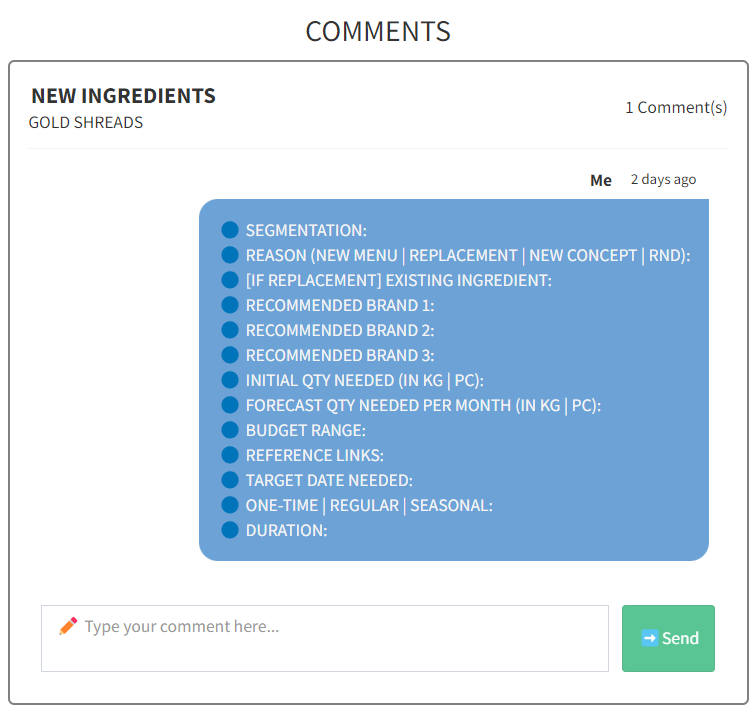
You may use the chat box provided to discuss between the Purchasing team and Chefs.
