This article will teach you how to create Reservation Request in DORS.
This article is applicable to all store cashiers that will input reservation orders. This should only be used during ongoing marketing campaigns.
TABLE OF CONTENTS
- Step 1: Click on Orders
- Step 2: Click on Add Data
- Step 3: Input Customer Details
- Step 4: Input Reservation Campaign
- Step 5: Input Items
- Step 6: Adjust Quantity (Optional)
- Step 7: Click on Save
Step 1: Click on Orders

Step 2: Click on Add Data
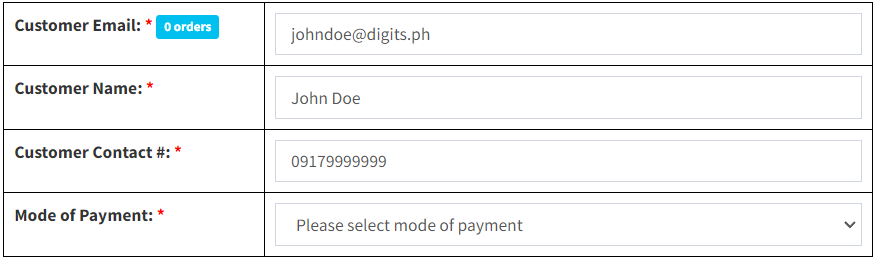
Step 3: Input Customer Details
Step 4: Input Reservation Campaign

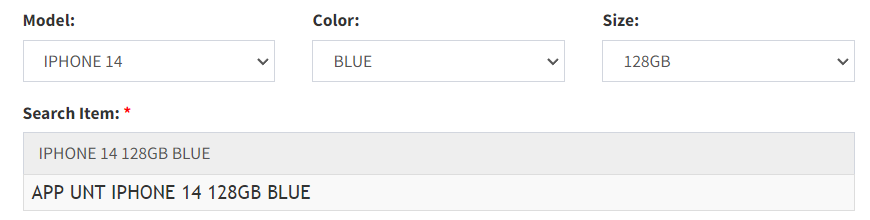
Step 5: Input Items