
This article will teach you how to create a petty cash request.
This article is applicable to all departments
TABLE OF CONTENTS
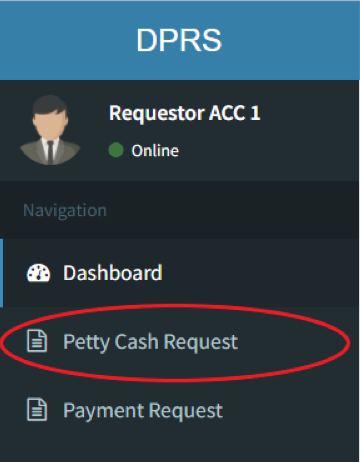
- Step 1: Click on Petty Cash Request
- Step 2: Click on Add Request
- Step 3: Fill up the Necessary Information
- Step 4: Click on Send Request
Step 1: Click on Petty Cash Request
Step 2: Click on Add Request
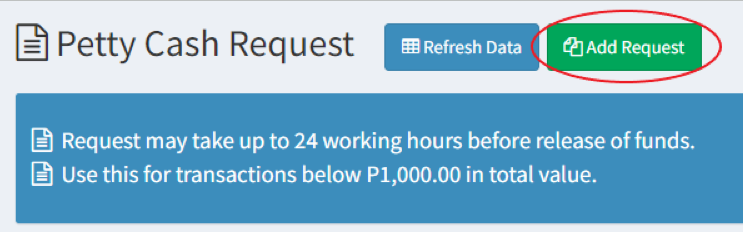
You may request for petty cash for emergency uses.
Step 3: Fill up the Necessary Information
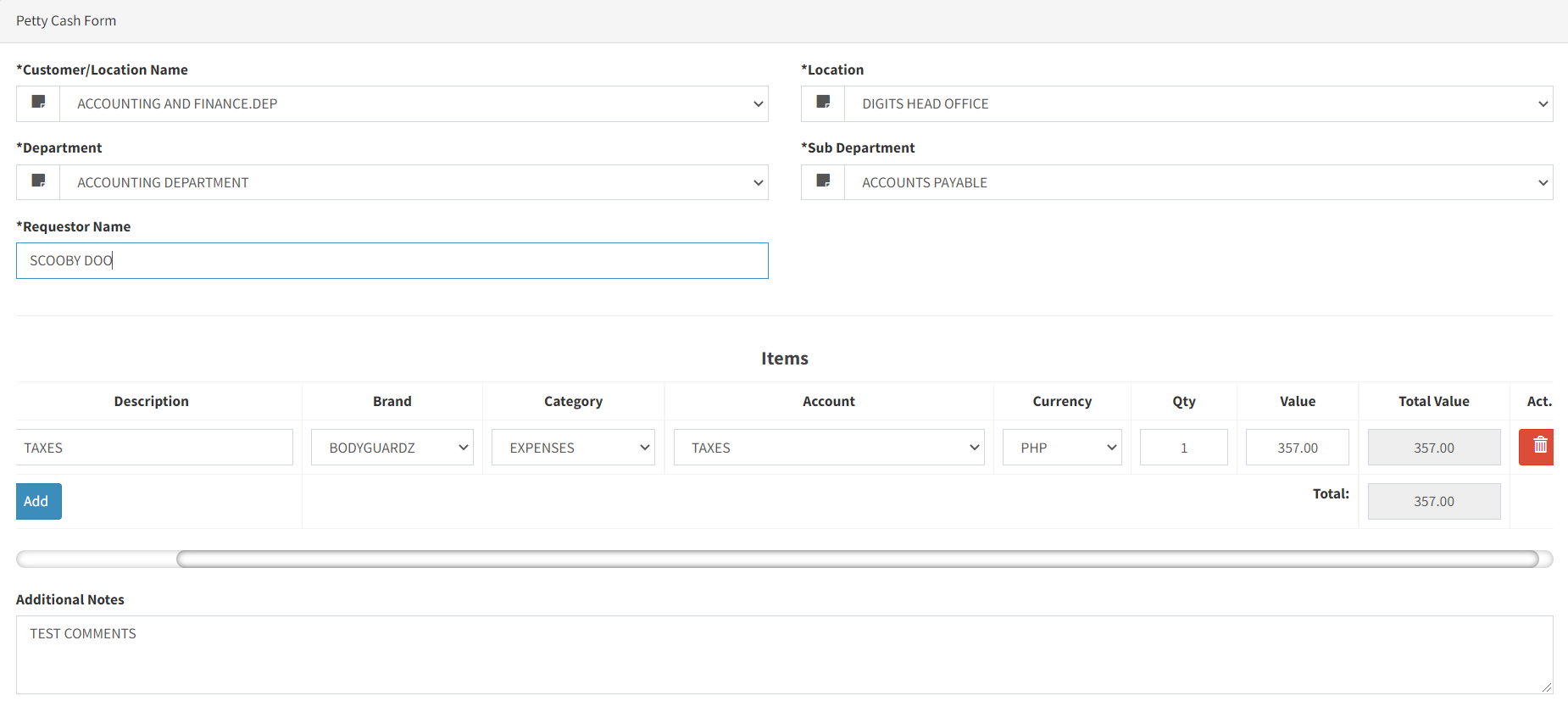
You may add more than one line item per transaction
Step 4: Click on Send Request

Your transaction will be visible to your department head for approval.