
This article will teach you how to create a payment request.
This article is applicable to all departments
TABLE OF CONTENTS
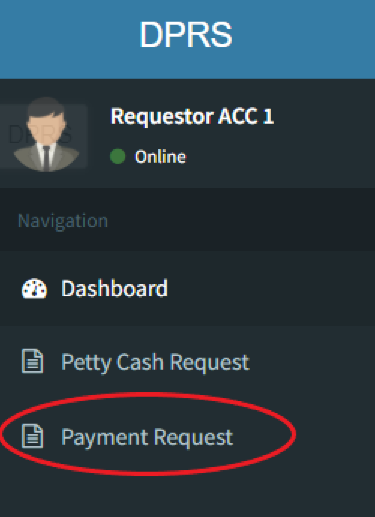
- Step 1: Click on Payment Request
- Step 2: Click on Add Request
- Step 3: Fill up the Necessary Information
- Step 4: Click on Send Request
Step 1: Click on Payment Request
Step 2: Click on Add Request
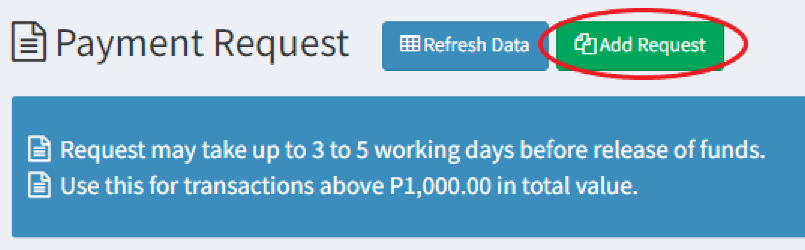
You may request for payment requests for big transactions. A price quotation is needed before the requests can be approved.
Step 3: Fill up the Necessary Information
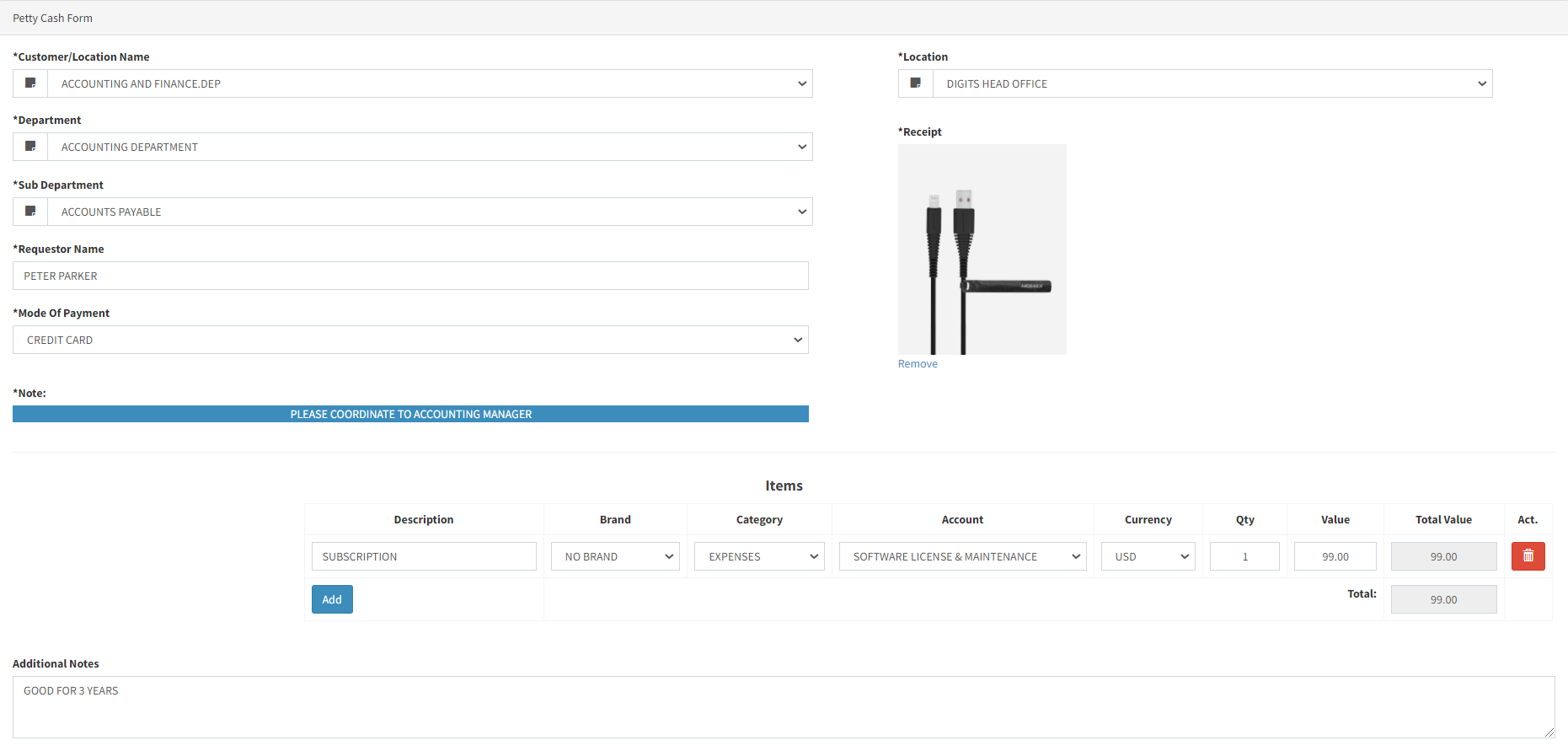
Please select the mode of payment in which you would like to be reimbursed in
For credit card transactions, kindly approach your Accounting Manager for assistance
You may add more than one line item per transaction
Step 4: Click on Send Request
Your transaction will be visible to your department head for approval.