This article will teach you how to add tokens to the Gashapon Token Dispenser.
This article is applicable to Gashapon Employees.
TABLE OF CONTENTS
- Step 1: Plug in the Power Cable
- Step 2: Open the Machine Door on the Right
- Step 3: Flip the Power Switch
- Step 4: Push the Power Button
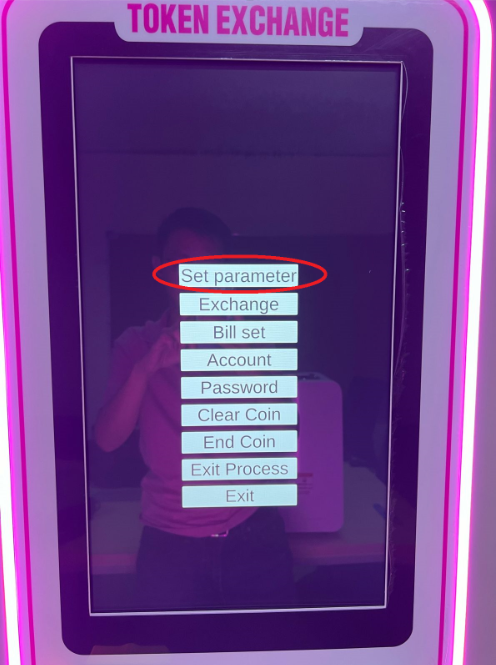
- Step 5: Click on Set Parameter
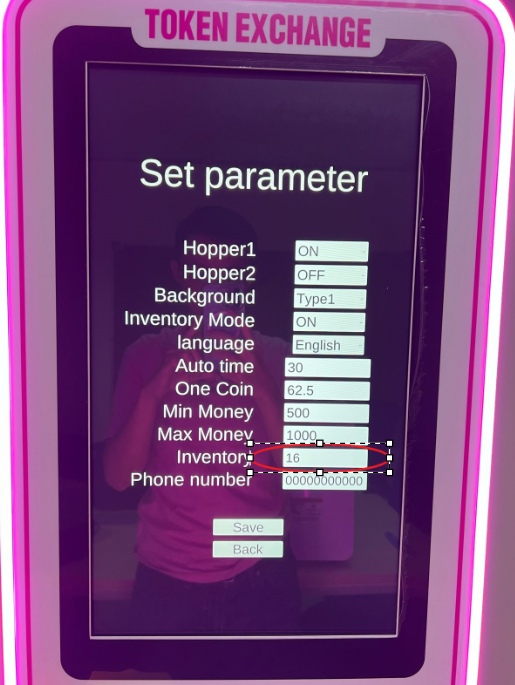
- Step 6: Edit the Inventory
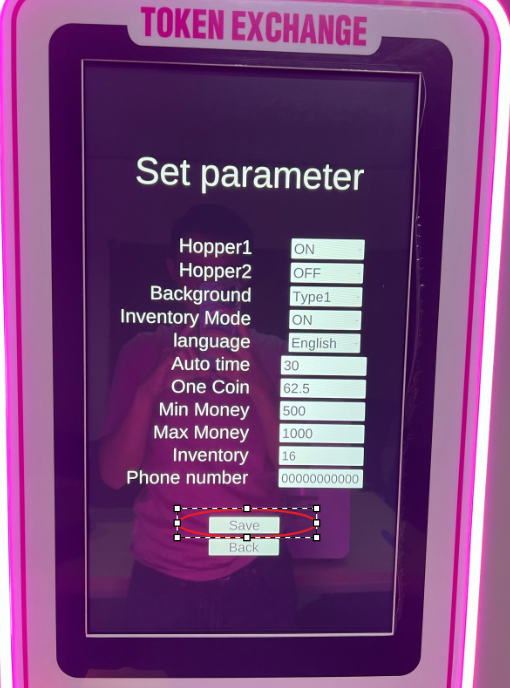
- Step 7: Click on Save
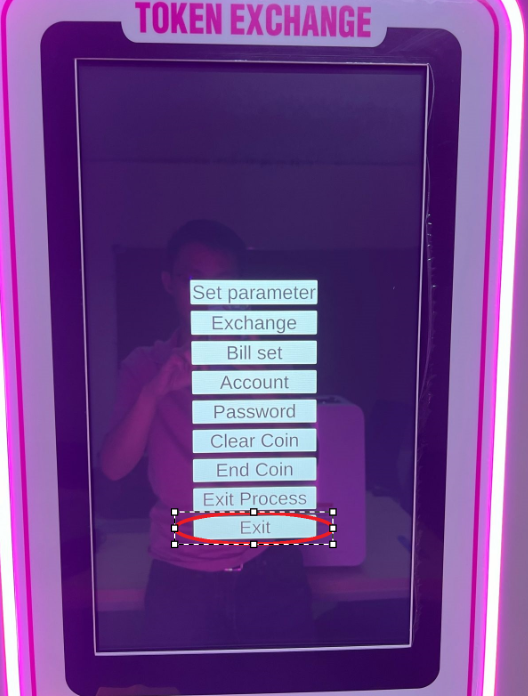
- Step 8: Click on Exit
- Step 9: Close the Top Hatch and Cabinet
PLEASE REMOVE ALL TOKENS FIRST BEFORE ADDING! COUNT THE TOKENS!PLEASE REMOVE ALL TOKENS FIRST BEFORE ADDING! COUNT THE TOKENS!Step 1: Open the Top Hatch
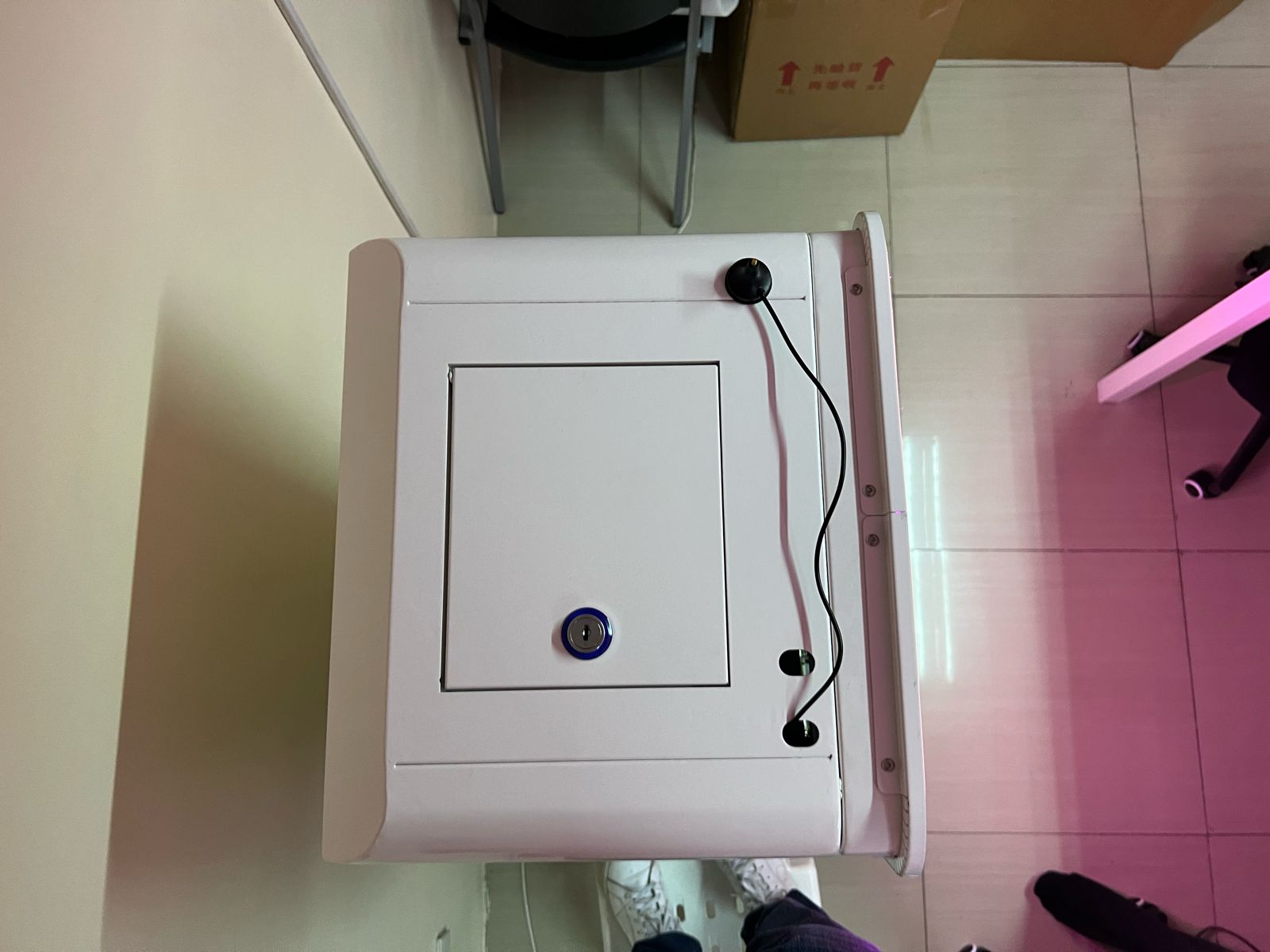
Step 2: Add the Tokens Inside the Hatch
Please take note of the token count!
Step 3: Open the Machine Door on the Right

Use the key to unlock the two keyslots.
Step 4: Hold the Black Button for 3 Seconds
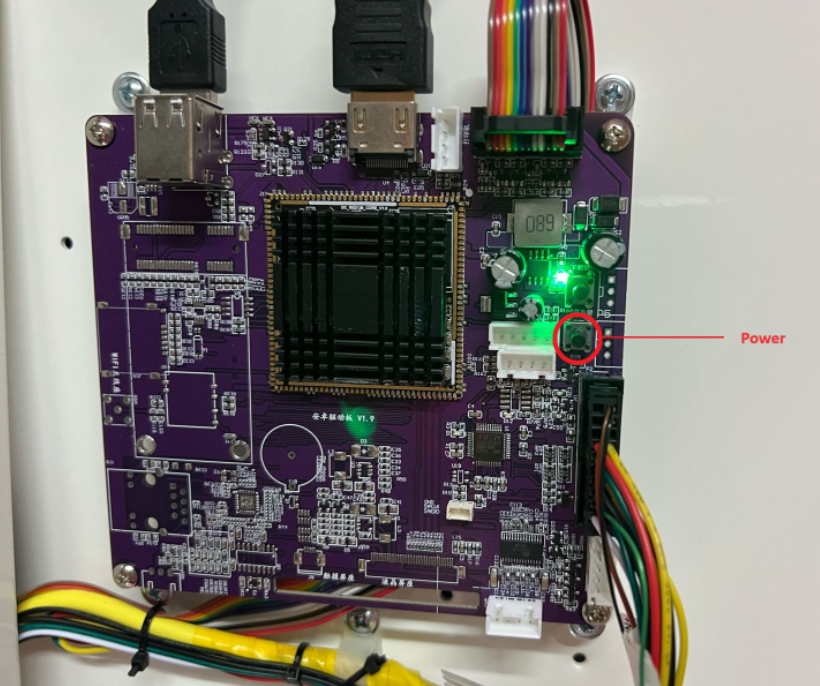
Step 5: Click on Set Parameter