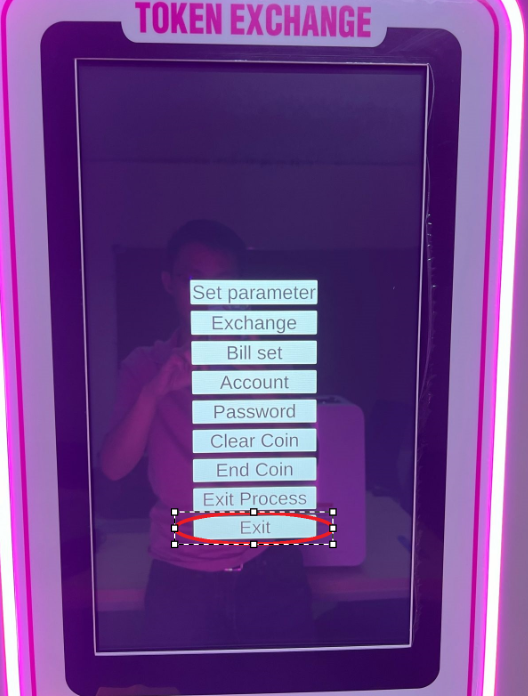
This article will teach you how to Cycle Count and Remove Tokens.
This article is applicable to Gashapon Employees.
TABLE OF CONTENTS
- Step 1: Open the Machine Door on the Right
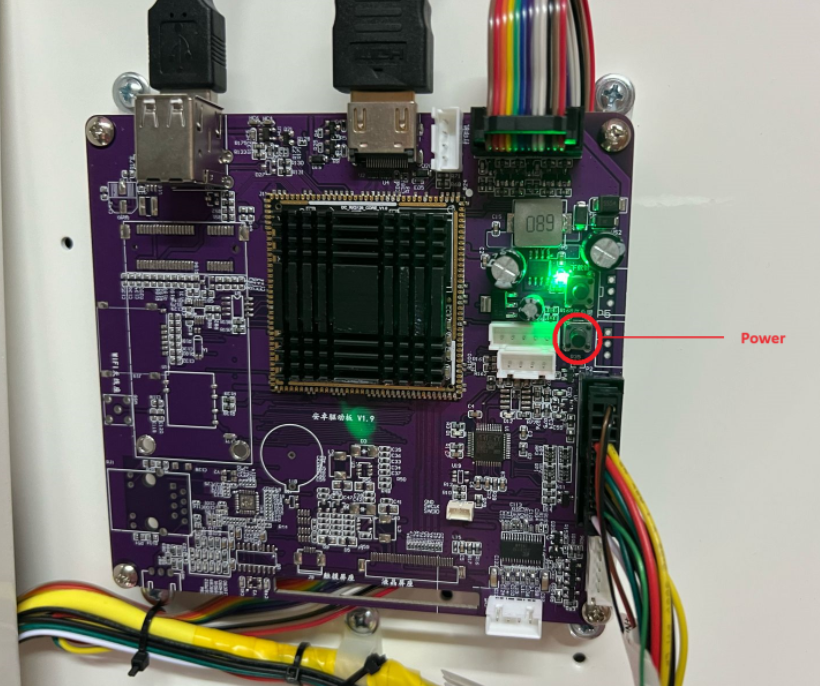
- Step 2: Hold the Black Button for 3 Seconds
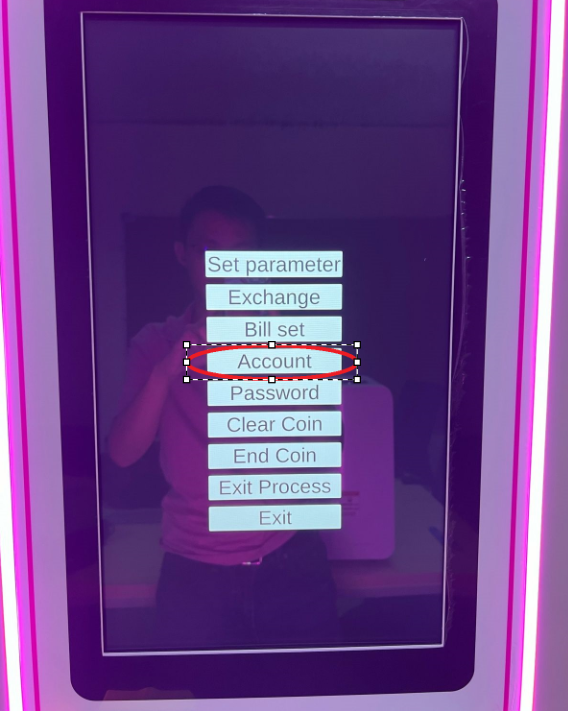
- Step 3: Click on Account
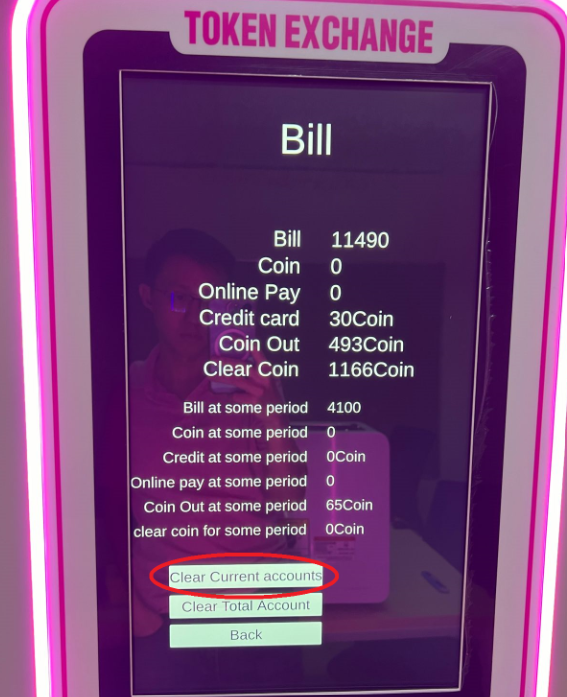
- Step 4: Take a Screenshot and Upload to Google Drive
- Step 5: Click on Clear Current Accounts
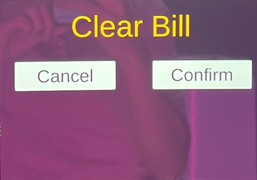
- Step 6: Click on Confirm
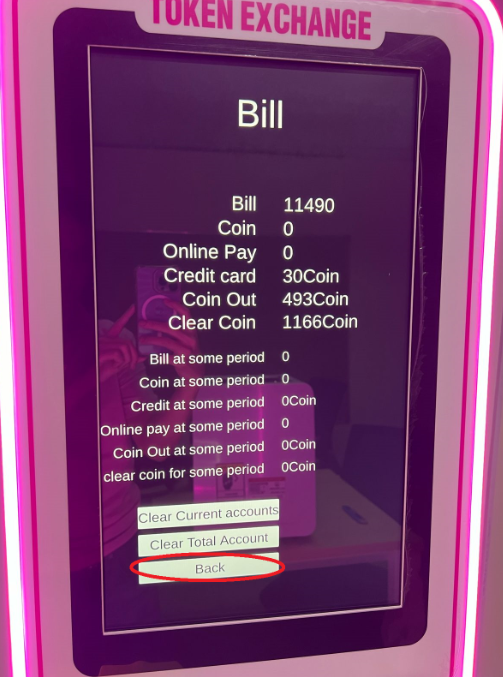
- Step 7: Click on Back
- Step 8: Click on Exit
- Step 9: Close the Cabinet
Step 1: Open the Machine Door on the Right

Use the key to unlock the two keyslots.
Step 2: Hold the Black Button for 3 Seconds
Step 3: Click on Account
Step 4: Take A Screenshot and Upload to Google Drive
Upload your files and label per the date (yyyymmdd_GBO_StoreName) to: https://drive.google.com/drive/folders/1n9dRcLb3OqtzQ5RCUQufuTwHVwtmRs7h?usp=drive_link
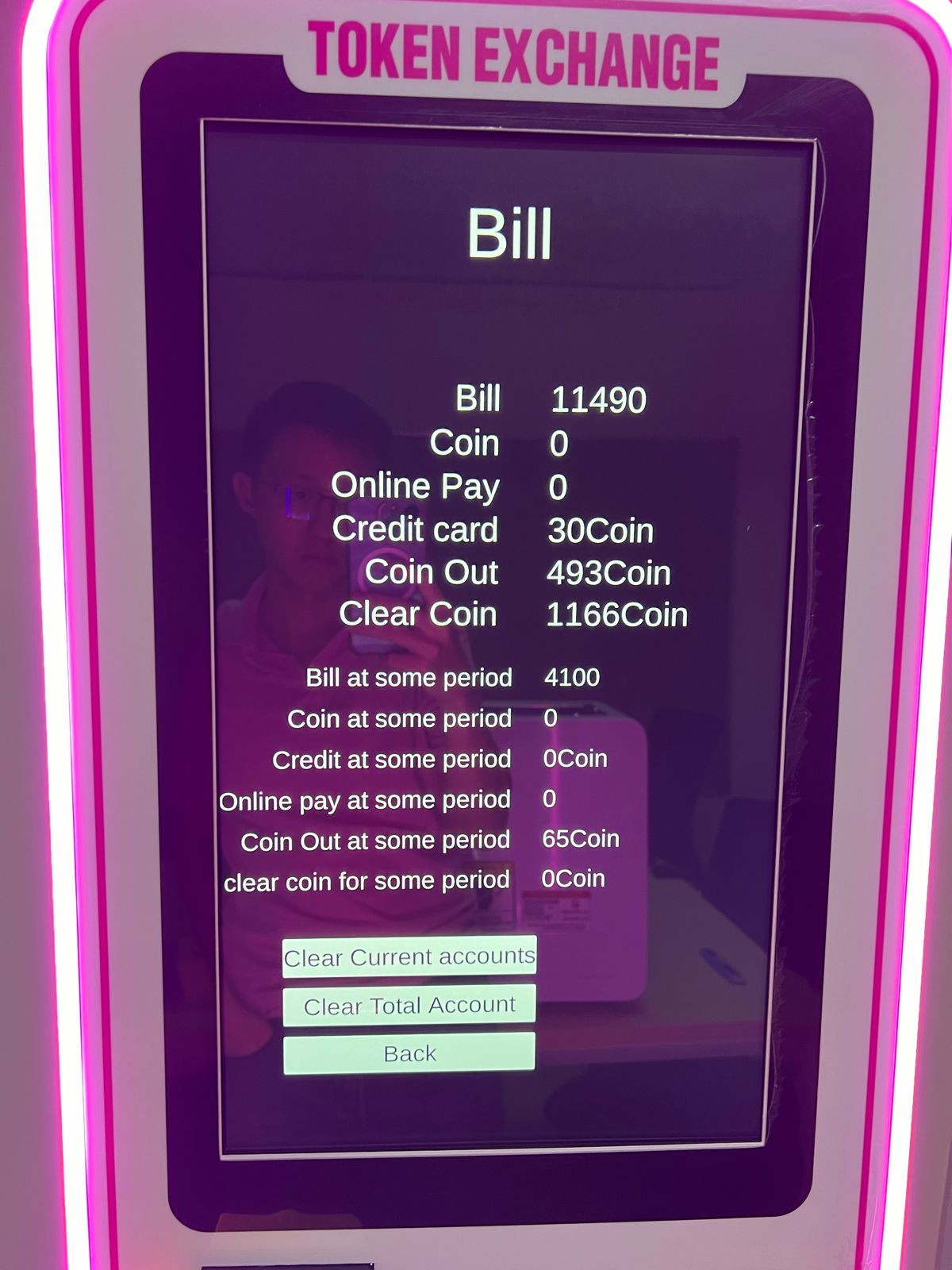
Step 5: Click on Clear Current Accounts
Step 6: Click on Confirm
Step 7: Click on Back
Use the key to unlock the two keyslots.